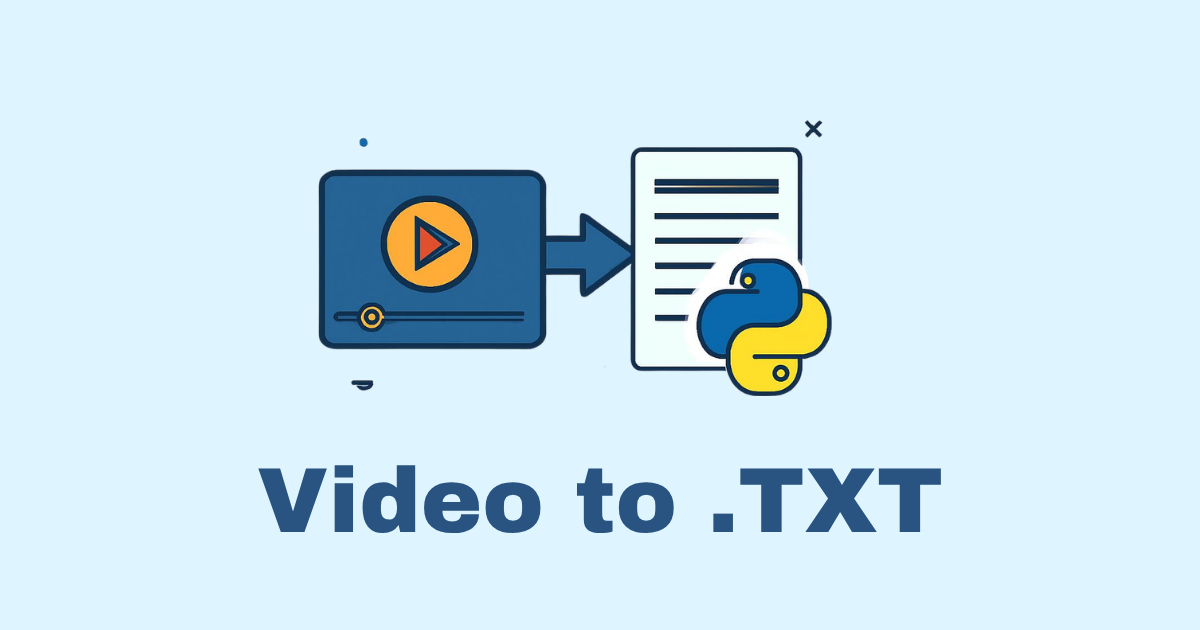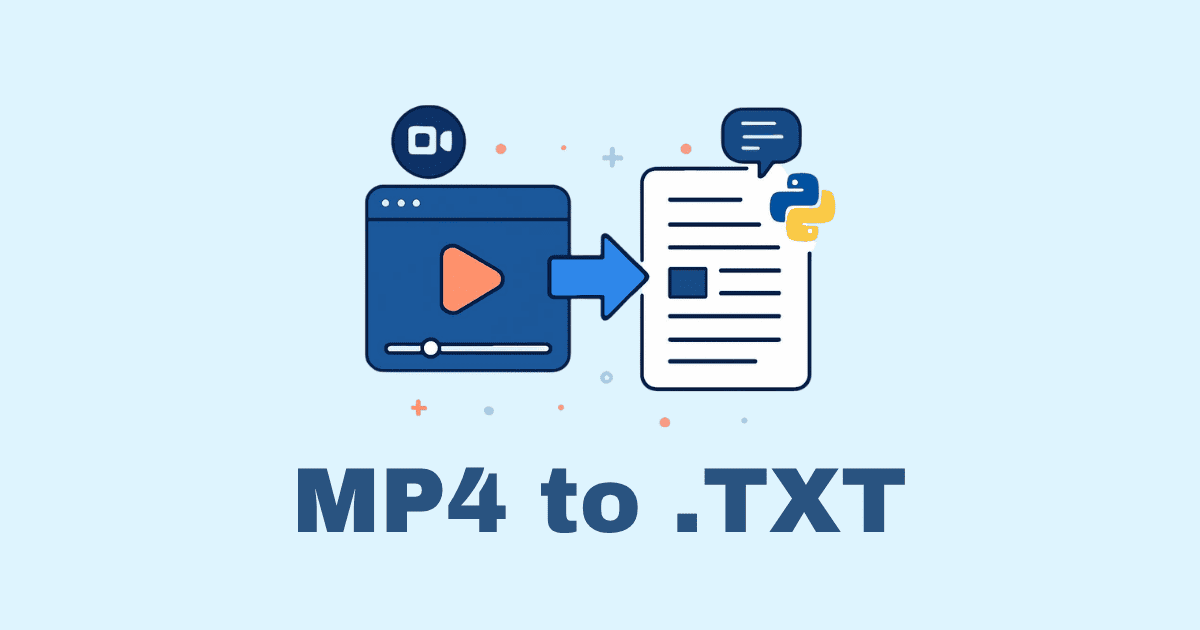
Turning a video into a transcript is one of those tasks that looks simple from the outside and becomes surprisingly important once you start doing real work with it. A transcript is not just a text version of speech. It is searchability, accessibility, content repurposing, note-taking, summarization, subtitle generation, indexing, and sometimes the difference between a video that sits quietly in a folder and a video that becomes useful everywhere. In Python, video-to-transcript workflows are especially powerful because Python gives you access to audio extraction, speech recognition, timestamps, file formatting, automation, and batch processing in a way that feels natural once you understand the moving parts. Whether you are building a small script for your own lecture recordings, a production pipeline for interviews and podcasts, or a content system that converts long videos into subtitles and searchable notes, the core ideas are the same: get the audio out of the video, feed it to a speech-to-text engine, clean up the result, and save it in a format that is actually useful.
The best way to think about video transcription in Python is to separate the problem into layers. The first layer is media handling, which means reading the video file and extracting the audio track. The second layer is speech recognition, where the audio gets turned into text. The third layer is formatting, where you decide whether you want plain text, timestamps, subtitle files such as SRT or VTT, JSON, or a more structured output. The fourth layer is quality control, because even excellent speech-to-text systems can struggle with accents, noise, overlapping voices, music, fast speech, or poor recordings. Once you start seeing the workflow this way, the process stops feeling mysterious and starts looking like a pipeline you can control. That is the real strength of using Python: instead of treating transcription as a black box, you can design the exact experience you need.
A common beginner mistake is to try to transcribe directly from the video file without first thinking about the audio. In many cases, that works badly. Video files are containers, not speech data. A .mp4, .mov, or .mkv file can contain one or more audio tracks, video streams, subtitles, and metadata. Speech recognition tools generally want audio in a clean, standard format such as WAV or MP3. That is why tools like FFmpeg matter so much in this workflow. FFmpeg is not glamorous, but it is one of the most important building blocks for media processing in Python. With it, you can extract audio from almost any video, convert it to a speech-friendly sample rate, trim silence, or normalize the volume before transcription. A better audio input often produces a noticeably better transcript, and this is true even when you use modern models.
Before writing any code, it helps to decide what kind of transcription quality you need. If your goal is a rough transcript for internal use, you can use a lightweight engine and keep the pipeline simple. If your goal is professional subtitles, searchable archives, or customer-facing content, then you will want stronger recognition, timestamps, and a better cleanup process. The nice thing is that Python supports both ends of the spectrum. You can create a script that fits on a few dozen lines, or you can build a robust production workflow with retries, logging, chunking, speaker labeling, and export formats. The foundation stays the same.
In modern Python transcription work, one of the most practical options is Whisper or a Whisper-based library such as openai-whisper or faster-whisper. These models are widely used because they handle many accents, real-world audio conditions, and multilingual speech quite well. They are also convenient for long-form transcription, which makes them ideal for video content. Another possible route is to use cloud speech APIs, which can be simpler if you want hosted infrastructure and do not mind sending your audio to an external service. A third option is to use older local libraries such as SpeechRecognition, but for serious accuracy on real-world video, Whisper-style models are usually the stronger choice. The exact tool you choose depends on your constraints, but for a practical article about video to transcript in Python, Whisper is one of the best starting points because it balances quality, flexibility, and a relatively approachable API.
Let us begin with the simplest possible version of the pipeline. Imagine you have a video file named interview.mp4 and you want a transcript saved as text. First, you extract the audio using FFmpeg, then you feed that audio into a transcription model, then you write the text to a file. That is the entire job at a high level, but the details matter. Here is what that looks like in Python with moviepy for extraction and openai-whisper for transcription.
from moviepy.editor import VideoFileClip
import whisper

video_path = "interview.mp4"
audio_path = "interview_audio.wav"

video = VideoFileClip(video_path)
audio = video.audio
audio.write_audiofile(audio_path, codec="pcm_s16le")

model = whisper.load_model("base")
result = model.transcribe(audio_path)

with open("transcript.txt", "w", encoding="utf-8") as f:
    f.write(result["text"])
This example is intentionally simple, because the first goal is understanding. The video is opened, the audio track is saved as a WAV file, the Whisper model is loaded, and the audio is transcribed. The result includes a "text" field that contains the full transcript. In real projects, you often want much more than plain text, but this is a great starting point because it demonstrates the essential flow. Once you see this working, the rest of the work becomes refinement.
There is an important reason many people prefer WAV for transcription workflows. WAV is uncompressed or lightly compressed, which means you avoid the quality losses that can happen with formats like MP3. Speech recognition systems are usually happier when they receive a clean audio file with predictable sampling characteristics. If you want a more deliberate extraction step, FFmpeg gives you precise control. You can convert a video’s audio stream into a 16 kHz mono WAV file, which is a common format for speech models. That alone can improve performance and simplify downstream processing.
import subprocess

video_path = "interview.mp4"
audio_path = "interview_audio.wav"

command = [
    "ffmpeg",
    "-i", video_path,
    "-ac", "1",
    "-ar", "16000",
    "-vn",
    audio_path,
    "-y"
]

subprocess.run(command, check=True)
This version does not rely on moviepy; instead, it calls FFmpeg directly. The -ac 1 flag makes the audio mono, -ar 16000 sets the sample rate to 16 kHz, and -vn disables video output. This is a very common preprocessing pattern in speech-to-text systems because it creates an audio file that is compact and appropriate for recognition. In many real-world cases, the transcription quality depends as much on the audio preprocessing as on the recognition model itself.
Once the audio is ready, the next question is which transcription library to use. Whisper is popular because it gives strong results and can also return segments with timestamps. Those timestamps matter if you want subtitles or if you want to align text with parts of the video. Instead of getting a single wall of text, you can get chunks of transcript with start and end times. That means your script can later produce subtitle files, searchable transcripts with timing, or chapter markers. In practical terms, this turns transcription from a simple text extraction task into a more useful media-processing tool.
Here is a slightly richer example that prints segment timestamps and saves them to a file.
import whisper

audio_path = "interview_audio.wav"
model = whisper.load_model("base")
result = model.transcribe(audio_path)

with open("transcript_with_timestamps.txt", "w", encoding="utf-8") as f:
    for segment in result["segments"]:
        start = segment["start"]
        end = segment["end"]
        text = segment["text"].strip()
        line = f"[{start:.2f} - {end:.2f}] {text}\n"
        f.write(line)
        print(line, end="")
The output is much more valuable than plain text because each line is tied to a time range. If a transcript line looks suspicious, you know exactly where in the video to check it. If you need subtitles later, this structure is already close to what you need. Timestamps also make editing easier because a human reviewer can jump to the relevant moment instead of searching blindly through a long recording.
For many people, one of the most attractive things about Python-based transcription is the ability to automate the whole process. Imagine you have a folder full of webinar recordings. Manually transcribing them one by one would be tedious, but a Python script can loop through every video file, extract audio, transcribe it, and save a separate transcript for each file. That kind of automation is where Python shines. Once your script handles one file reliably, it can handle one hundred files almost as easily.
from pathlib import Path
import subprocess
import whisper

input_folder = Path("videos")
output_folder = Path("transcripts")
output_folder.mkdir(exist_ok=True)

model = whisper.load_model("base")

for video_file in input_folder.glob("*.mp4"):
    audio_file = video_file.with_suffix(".wav")

    subprocess.run([
        "ffmpeg",
        "-i", str(video_file),
        "-ac", "1",
        "-ar", "16000",
        "-vn",
        str(audio_file),
        "-y"
    ], check=True)

    result = model.transcribe(str(audio_file))

    transcript_file = output_folder / f"{video_file.stem}.txt"
    with open(transcript_file, "w", encoding="utf-8") as f:
        f.write(result["text"])

    audio_file.unlink(missing_ok=True)
This script is already useful, but there are still many things you would probably want to improve before relying on it for serious work. For example, you may want to preserve timestamps, handle exceptions gracefully, keep the audio files for debugging, or record whether each transcription succeeded. You may also want to process other video formats besides .mp4. Python lets you do all of that with relatively little friction. In a professional setting, transcription scripts are rarely one-off utilities. They tend to evolve into pipelines that need logs, retries, progress reporting, and cleanup logic. It is worth designing for that from the beginning.
Accuracy deserves special attention, because not all videos are equal. A clean lecture recording with one speaker and a decent microphone is much easier to transcribe than a panel discussion in a noisy room. Background music, echo, crosstalk, and fast turn-taking can all reduce transcript quality. If your transcript will be used for public content, you should expect to review and edit it. The good news is that modern models are good enough that the editing step is often much faster than typing from scratch. The model does the first pass, and a human polishs the result. That hybrid approach is often the most realistic and cost-effective solution.
You can improve transcript quality in several practical ways. One of the simplest is audio normalization. If the audio is too quiet, too loud, or uneven, recognition becomes harder. Another improvement is to remove long silent sections if your use case does not need them. A third is to split very long videos into smaller chunks, especially if you are working with limited hardware or a library that performs better on shorter inputs. Chunking can also help you manage memory and make progress reporting more informative. For very long interviews or lectures, it is often better to transcribe in chunks and then recombine the results carefully.
Here is a small example of chunk-based processing using pydub, which can help you split audio into manageable pieces. This is not the only way to do it, but it demonstrates the concept clearly.
from pydub import AudioSegment
from pathlib import Path
import math
import whisper

audio_path = "interview_audio.wav"
chunks_dir = Path("chunks")
chunks_dir.mkdir(exist_ok=True)

audio = AudioSegment.from_wav(audio_path)
chunk_length_ms = 5 * 60 * 1000  # 5 minutes
total_chunks = math.ceil(len(audio) / chunk_length_ms)

model = whisper.load_model("base")
all_text = []

for i in range(total_chunks):
    start = i * chunk_length_ms
    end = min((i + 1) * chunk_length_ms, len(audio))
    chunk = audio[start:end]
    chunk_file = chunks_dir / f"chunk_{i+1}.wav"
    chunk.export(chunk_file, format="wav")

    result = model.transcribe(str(chunk_file))
    all_text.append(result["text"].strip())

full_transcript = "\n".join(all_text)

with open("full_transcript.txt", "w", encoding="utf-8") as f:
    f.write(full_transcript)
Chunking is useful, but it also introduces a challenge: speech can be cut in the middle of a sentence. That is why some workflows overlap chunks slightly so no important words are lost at the boundaries. When you start building higher quality systems, overlap becomes more important. You may also need to merge duplicate text if the same phrase appears twice because of the overlap. These are the kinds of details that turn a simple transcription script into a robust transcription engine.
Another practical topic is formatting subtitles. Many people do not just want text; they want subtitle files. SRT and VTT are the two most common formats. SRT is widely supported and easy to generate. VTT is also popular on the web and works well with HTML5 video. Whisper segment data can be converted into either format quite easily. That means a Python transcription script can do more than produce a transcript. It can also create subtitle files that can be attached to videos, uploaded to media platforms, or used in a website player.
Here is a simple SRT writer that uses segment timestamps from Whisper.
def format_srt_timestamp(seconds: float) -> str:
    hours = int(seconds // 3600)
    minutes = int((seconds % 3600) // 60)
    secs = int(seconds % 60)
    milliseconds = int((seconds - int(seconds)) * 1000)
    return f"{hours:02}:{minutes:02}:{secs:02},{milliseconds:03}"

import whisper

audio_path = "interview_audio.wav"
model = whisper.load_model("base")
result = model.transcribe(audio_path)

with open("subtitles.srt", "w", encoding="utf-8") as f:
    for i, segment in enumerate(result["segments"], start=1):
        start = format_srt_timestamp(segment["start"])
        end = format_srt_timestamp(segment["end"])
        text = segment["text"].strip()

        f.write(f"{i}\n")
        f.write(f"{start} --> {end}\n")
        f.write(f"{text}\n\n")
This kind of script is incredibly useful because it bridges the gap between speech recognition and actual content delivery. A transcript in plain text is nice, but a subtitle file is often more practical because it can be displayed on a video player and synchronized with the timeline. If you are working in content creation, marketing, education, or e-learning, subtitle generation alone may justify the whole transcription pipeline.
At this point, it is worth talking about speech quality in the wild, because that is where real projects live. A perfectly recorded studio voice is not the norm. You might have a Zoom call where participants speak over one another, a phone recording with compression artifacts, a lecture with students asking questions from the back of the room, or a travel vlog with wind noise in the background. In those situations, you should expect the transcript to contain errors. The goal is not to magically eliminate all mistakes. The goal is to make the transcript good enough that the remaining errors are manageable. Often, a transcript that is 90 to 95 percent correct is hugely useful, especially if the alternative is having no transcript at all.
If your videos are multilingual, transcription becomes even more interesting. Whisper-style models are especially helpful here because they can often detect language automatically and handle mixed-language content better than older systems. This is useful for international interviews, educational content, and videos that naturally switch languages. You may still want to force a particular language if you already know it, because that can sometimes improve speed and focus. But when the language is uncertain, automatic language detection is a major convenience. It makes the script more flexible and reduces the need for manual configuration.
import whisper

model = whisper.load_model("small")
result = model.transcribe("audio.wav", language="en")
print(result["text"])
If you omit the language parameter, Whisper can usually detect the language on its own. That convenience is appealing, but there are still reasons to set the language explicitly when you know it. In some cases, language detection can be slightly off for short clips or mixed-language speech. When precision matters, a small amount of manual guidance can help.
One question that comes up often is whether you should transcribe locally or use a cloud API. Both options have their place. Local transcription gives you privacy, control, and the ability to run at your own pace without sending media to another service. It also becomes attractive when you process many videos and want to avoid per-minute costs. Cloud transcription can be simpler to set up and may offer excellent infrastructure, higher throughput, or extra features such as diarization, custom vocabulary, or better scaling for large teams. In Python, the workflow is similar either way: extract or stream the audio, send it to the service, receive text and timestamps, then format the result. The differences are mostly around cost, privacy, latency, and operational simplicity.
A robust Python transcription script should also think about errors. Videos get corrupted, FFmpeg can fail, disk space can run out, models can fail to load, and unsupported files can break the pipeline. A well-written script handles these issues gracefully instead of crashing halfway through a batch. Logging is especially helpful because you may not notice a failure until much later if you are processing many files. When a transcription pipeline is meant for practical use, quiet failure is worse than an obvious error. You want to know which file failed and why.
from pathlib import Path
import subprocess
import whisper

def transcribe_video(video_path: Path, output_dir: Path, model):
    audio_path = video_path.with_suffix(".wav")
    transcript_path = output_dir / f"{video_path.stem}.txt"

    try:
        subprocess.run([
            "ffmpeg",
            "-i", str(video_path),
            "-ac", "1",
            "-ar", "16000",
            "-vn",
            str(audio_path),
            "-y"
        ], check=True, capture_output=True, text=True)

        result = model.transcribe(str(audio_path))

        with open(transcript_path, "w", encoding="utf-8") as f:
            f.write(result["text"])

        return True, transcript_path

    except subprocess.CalledProcessError as e:
        return False, f"FFmpeg failed for {video_path.name}: {e.stderr}"

    except Exception as e:
        return False, f"Transcription failed for {video_path.name}: {e}"

    finally:
        if audio_path.exists():
            audio_path.unlink()

model = whisper.load_model("base")
output_dir = Path("transcripts")
output_dir.mkdir(exist_ok=True)

for video_file in Path("videos").glob("*.*"):
    success, message = transcribe_video(video_file, output_dir, model)
    print("OK:" if success else "ERR:", message)
This kind of pattern looks small, but it is the difference between a script that is pleasant to use and a script that becomes fragile as soon as reality enters the room. Good automation is not only about speed. It is about trust. When you know the script tells you what happened, you are far more likely to use it repeatedly.
Now let us talk about transcript cleanup, because raw speech-to-text output often needs human attention. Speaker names may be missing, punctuation may be imperfect, and filler words may clutter the transcript. In some contexts, you may want to preserve everything exactly as spoken, because a legal transcript or research transcript should remain faithful. In other contexts, you may want to clean the transcript by removing stutters, repeated phrases, or unnecessary fillers. That decision depends on the use case. A meeting archive has different needs from a polished content summary, and a court-style record has different standards from a marketing video subtitle file.
Python can help with cleanup too. You can write post-processing functions that normalize whitespace, repair obvious formatting issues, split paragraphs, or even integrate with a language model to produce a readable version of the transcript after the speech recognition step. That said, it is important to distinguish between transcription and rewriting. A transcript should preserve what was said. If you use an AI model to rewrite it into cleaner prose, you are no longer generating a literal transcript. Both outputs can be useful, but they serve different purposes. Keeping that distinction clear will save you confusion later.
If you want to generate readable paragraphs from segment-level transcript output, one approach is to accumulate segments until a pause or a topic shift appears, then start a new paragraph. Another approach is to use punctuation and timing heuristics. Some projects also group transcript text by sentence boundaries. All of these are reasonable, and Python gives you enough control to choose the one that fits. There is no single perfect layout for transcripts. The best format depends on how people will read and use them.
A very common practical use case is transcribing YouTube-style videos, tutorials, and educational lectures. In those situations, timestamps are not just nice to have; they are part of the value. A reader may want to jump directly to the section about a code example, a concept explanation, or a demo. A transcript with timestamps can become a navigable document. If you are producing content for the web, you can even turn segments into anchor links or chapter markers. A transcript then becomes an interface, not just a document.
Let us imagine a slightly more advanced workflow. You upload a video to your system. The system extracts audio, runs transcription, detects sentence boundaries, produces a plain text transcript, creates SRT subtitles, stores all artifacts in a folder, and returns a summary JSON file containing metadata such as duration, language, and segment count. That is already a strong content pipeline. In Python, such a system can be built incrementally. Start with one video and one transcript. Then add timestamps. Then add subtitle export. Then add batch processing. Then add cleanup. This step-by-step approach is often better than trying to build the entire pipeline at once.
Here is an example of packaging a transcript result into JSON so it can be used by other programs.
import json
import whisper

audio_path = "audio.wav"
model = whisper.load_model("base")
result = model.transcribe(audio_path)

data = {
    "text": result["text"],
    "language": result.get("language"),
    "segments": [
        {
            "start": seg["start"],
            "end": seg["end"],
            "text": seg["text"].strip()
        }
        for seg in result["segments"]
    ]
}

with open("transcript.json", "w", encoding="utf-8") as f:
    json.dump(data, f, ensure_ascii=False, indent=2)
JSON is useful because it is easy to consume from dashboards, databases, web apps, and other scripts. It also preserves structure better than plain text. If you later want to build a transcript viewer, a search tool, or an editor interface, structured output will save time. Plain text is still valuable, but structured data gives you more room to grow.
Performance is another area worth considering. Smaller models are faster and lighter, but larger models usually produce better results. On a machine with limited hardware, you may prioritize speed. On a workstation or server with a strong GPU, you may prefer accuracy. There is always a trade-off. The good news is that Python lets you experiment. You can compare results from different model sizes and decide what quality level is acceptable for your use case. For some workflows, the tiny or base model is enough. For others, you may want small, medium, or large. The right choice depends on your audio, your time budget, and how much editing you plan to do afterward.
One practical tip is to save the intermediate files while you are developing the pipeline. Keep the extracted audio, the raw transcript, and the final cleaned version until you trust your workflow. This makes debugging much easier. If a transcript looks wrong, you can check whether the issue came from the audio extraction step or the recognition step. Many people skip this and regret it later when they cannot figure out where the error began. Audio pipelines are much easier to improve when you can inspect each stage.
Another useful idea is to build a small review loop. If you are transcribing important material, you can create a human review step that highlights low-confidence passages. Some speech recognition systems expose confidence-related information, while others require heuristic inspection. Even without perfect confidence scoring, timestamps and segment breaks help reviewers move quickly. That is often enough to reduce editing time significantly. A transcript does not need to be perfect to be powerful. It just needs to be accurate enough that humans can finish the job efficiently.
There are also cases where you might want to transcribe only specific parts of a video. Maybe the video contains a lot of silence, a lot of music, or a long intro before the speech begins. In that case, you can trim the audio before transcription or detect speech segments first. That is a more advanced workflow, but Python makes it possible. You can use audio analysis libraries to find speech regions, then transcribe only those parts. This can save time and sometimes improve quality by removing irrelevant sections. For content with large non-speech portions, that kind of optimization is especially valuable.
One of the most rewarding aspects of video-to-transcript work is how quickly the output becomes useful across different tasks. A transcript can feed search indexes, summarization tools, translation workflows, caption systems, knowledge bases, and content repurposing pipelines. A single video can become a blog post draft, a newsletter excerpt, an internal note, a set of subtitles, and a searchable archive record. Once you automate the transcript generation step in Python, you unlock a lot of downstream value with very little extra work. That is why transcription is often a first step in larger media intelligence systems.
It is also worth saying that a good transcript feels human. Even though it is produced by a machine, the best transcript output is usually one that a person can read without fighting it. That means sensible punctuation, consistent formatting, useful timestamps, and clean paragraph structure. A wall of text may contain the same words, but it is much harder to use. The last mile matters. A few extra lines of Python to format the result thoughtfully can make the transcript far more professional.
If you are building a real application, you may eventually want to wrap your transcription script in a command-line interface. That lets you run it from the terminal with arguments like input file, output directory, model size, and export format. This is a natural next step in Python because the argparse module makes it straightforward. A CLI makes your tool easier to reuse and easier to share with others. It also helps separate the code from the specific job being done, which makes maintenance simpler.
import argparse
from pathlib import Path

parser = argparse.ArgumentParser(description="Convert video to transcript.")
parser.add_argument("video", type=Path, help="Path to the video file")
parser.add_argument("--output", type=Path, default=Path("transcript.txt"))
parser.add_argument("--model", type=str, default="base")
args = parser.parse_args()

print(f"Video: {args.video}")
print(f"Output: {args.output}")
print(f"Model: {args.model}")
Even this tiny bit of command-line structure makes your script feel much more like a tool and much less like a one-time experiment. In real-world automation, that matters. Tools get reused. Scripts that feel predictable get trusted. Trusted scripts get incorporated into workflows. That is how a transcription utility grows from a side project into something genuinely useful.
By now, the full picture should be clear. Video-to-transcript in Python is not one single technique; it is a small system made from media extraction, speech recognition, formatting, cleanup, and automation. The tools can be open source, cloud-based, or hybrid. The output can be plain text, timestamps, subtitles, JSON, or all of the above. The same pipeline can serve a solo creator, a research team, a media company, or an educational platform. The real power lies in how Python lets you connect the pieces in a way that matches your exact needs.
If you are just getting started, the easiest path is simple: extract the audio from a short video, run it through Whisper, print the transcript, and save it to a file. Once that works, add timestamps. After that, add subtitle export. Then add batch processing. Then add logging and cleanup. That gradual path keeps the project understandable while still moving you toward a polished solution. Most useful Python systems grow this way, not in a single giant leap, and transcription is no exception.
A final thought is worth keeping in mind: the best transcription pipeline is the one that reduces friction for real people. If the transcript is accurate but impossible to read, it will not be used. If it is fast but unreliable, it will not be trusted. If it is beautifully formatted but hard to automate, it will not scale. Good Python transcription work balances quality, speed, and practicality. That balance is what turns a video into something more than a file. It turns it into knowledge you can search, edit, share, and build on.
Hassan Agmir
Author · Filenewer
Writing about file tools and automation at Filenewer.
Try It Free
Process your files right now
No account needed · Fast & secure · 100% free
Browse All Tools