Working with dates and times is one of the most common tasks in Python, and timestamps are at the center of many applications. Whether you are building a logging system, displaying order dates in a web app, processing API responses, analyzing event data, or scheduling tasks, you will eventually need to convert timestamps in Python.
A timestamp is a compact way to represent a point in time. It is often stored as a number, usually counting seconds or milliseconds from a reference point called the Unix epoch. In Python, converting a timestamp into a readable date, or converting a date into a timestamp, is easy once you understand the built-in tools and the differences between seconds, milliseconds, and timezone-aware datetime values.
In this guide, you will learn everything you need to know about converting timestamps in Python. We will cover the built-in time module, the datetime module, timezone handling, converting milliseconds and microseconds, formatting dates, working with strings, common mistakes, and practical examples. By the end, you will be able to confidently convert timestamps in Python in real projects.
What Is a Timestamp?
A timestamp is a numeric representation of time. In most systems, it refers to the number of seconds since January 1, 1970, 00:00:00 UTC, which is known as the Unix epoch.
For example:
0means the exact Unix epoch start1means one second after the epoch1700000000means a much later date in UTC
Timestamps are widely used because they are simple to store, compare, and transfer between systems. However, raw timestamps are not human-friendly, so they often need to be converted into readable date and time values.
Why Convert Timestamps in Python?
You may need to convert timestamps for many reasons:
Display a human-readable date on a website
Convert API timestamps into local time
Store date information in a database
Compare event times
Format log records
Generate reports from time-based data
Build scheduling or reminder systems
Python makes all of these tasks manageable through built-in libraries.
The Main Ways to Convert Timestamps in Python
There are two main directions of conversion:
Timestamp to datetime
Datetime to timestamp
You may also need to handle:
seconds
milliseconds
microseconds
timezone-aware conversions
string formatting
Let’s go through each one carefully.
Convert Timestamp to Datetime in Python
The most common task is converting a Unix timestamp into a readable datetime object.
Using datetime.fromtimestamp()
The datetime module provides a simple method for converting a timestamp into a local datetime.
from datetime import datetime

timestamp = 1700000000
dt = datetime.fromtimestamp(timestamp)

print(dt)
Example output:
2023-11-14 22:13:20
This value is shown in your local system time zone.
Using datetime.utcfromtimestamp()
If you want the timestamp converted to UTC instead of local time, use utcfromtimestamp().
from datetime import datetime

timestamp = 1700000000
dt = datetime.utcfromtimestamp(timestamp)

print(dt)
Example output:
2023-11-14 22:13:20
The result may look the same in some cases, but the meaning is different. This version gives the time in UTC.
Using datetime.fromtimestamp() with timezone
A better modern approach is to create a timezone-aware datetime.
from datetime import datetime, timezone

timestamp = 1700000000
dt = datetime.fromtimestamp(timestamp, tz=timezone.utc)

print(dt)
Output:
2023-11-14 22:13:20+00:00
This is safer because the timezone is explicit.
Convert Timestamp to Date Only
Sometimes you only want the date, not the full date and time.
from datetime import datetime

timestamp = 1700000000
dt = datetime.fromtimestamp(timestamp)

date_value = dt.date()

print(date_value)
Output:
2023-11-14
This is useful when building reports, calendars, and summaries.
Convert Timestamp to Formatted String
A datetime object is useful in code, but for display you usually want a formatted string.
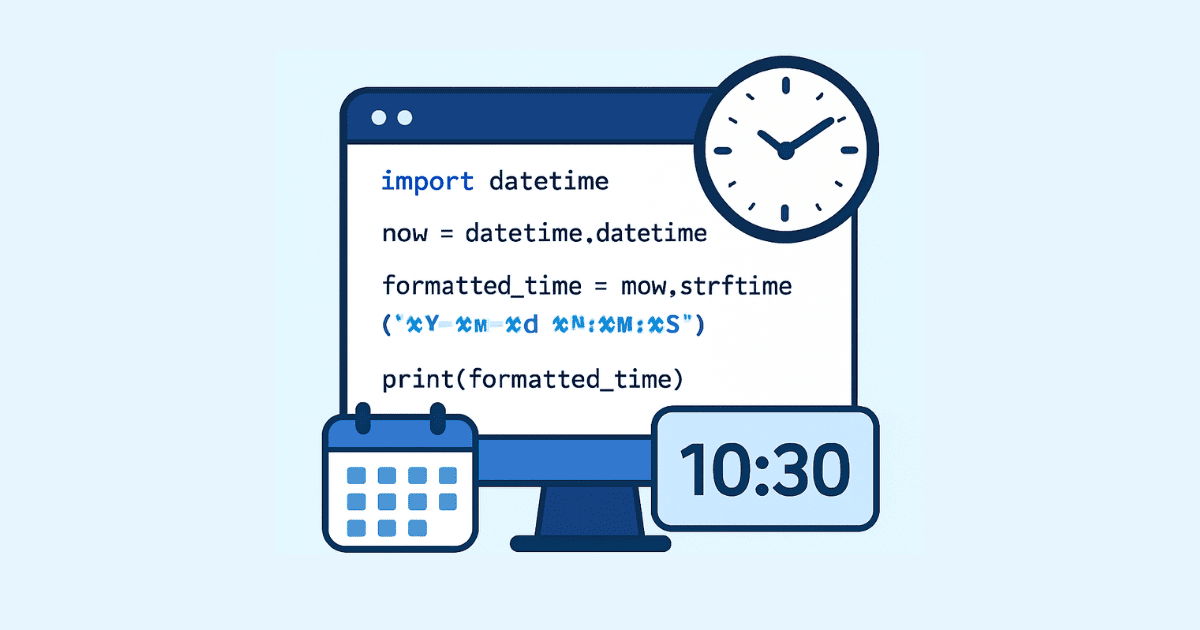
You can use strftime() to format the date.
from datetime import datetime

timestamp = 1700000000
dt = datetime.fromtimestamp(timestamp)

formatted = dt.strftime("%Y-%m-%d %H:%M:%S")
print(formatted)
Output:
2023-11-14 22:13:20
Common formatting codes
Here are a few useful format tokens:
%Y→ four-digit year%m→ month number%d→ day of month%H→ hour in 24-hour format%M→ minute%S→ second%a→ short weekday name%b→ short month name
Example:
from datetime import datetime

timestamp = 1700000000
dt = datetime.fromtimestamp(timestamp)

print(dt.strftime("%a, %d %b %Y %I:%M %p"))
Output:
Tue, 14 Nov 2023 10:13 PM
Convert Datetime to Timestamp in Python
Now let’s go in the opposite direction.
Using .timestamp()
If you have a datetime object and want the Unix timestamp, use .timestamp().
from datetime import datetime

dt = datetime(2023, 11, 14, 22, 13, 20)
ts = dt.timestamp()

print(ts)
Output:
1700000000.0
Notice that the result is a float, not an integer. This is because Python can represent fractions of a second.
Convert a timezone-aware datetime to timestamp
This is the safest approach for real applications.
from datetime import datetime, timezone

dt = datetime(2023, 11, 14, 22, 13, 20, tzinfo=timezone.utc)
ts = dt.timestamp()

print(ts)
Output:
1700000000.0
If you use timezone-aware objects, your conversions are more predictable.
Convert Unix Timestamp in Seconds
Unix timestamps are usually in seconds. That is the simplest case.
from datetime import datetime

timestamp = 1710000000
dt = datetime.fromtimestamp(timestamp)

print(dt)
If your timestamp is already in seconds, you can convert it directly.
Convert Timestamp in Milliseconds in Python
Many APIs and JavaScript systems use milliseconds instead of seconds.
For example:
timestamp_ms = 1700000000000
This is not directly usable by datetime.fromtimestamp() because that function expects seconds.
Convert milliseconds to seconds first
from datetime import datetime

timestamp_ms = 1700000000000
timestamp_s = timestamp_ms / 1000

dt = datetime.fromtimestamp(timestamp_s)

print(dt)
Output:
2023-11-14 22:13:20
Using integer division carefully
If you do not need fractions of a second, you can use integer division:
timestamp_ms = 1700000000000
timestamp_s = timestamp_ms // 1000
This returns an integer number of seconds.
Full example
from datetime import datetime

timestamp_ms = 1700000000000
dt = datetime.fromtimestamp(timestamp_ms / 1000)

print(dt.strftime("%Y-%m-%d %H:%M:%S"))
Convert Timestamp in Microseconds in Python
Sometimes timestamps come in microseconds.
Example:
timestamp_us = 1700000000000000
To convert microseconds into seconds:
from datetime import datetime

timestamp_us = 1700000000000000
dt = datetime.fromtimestamp(timestamp_us / 1_000_000)

print(dt)
Using underscores in numbers makes them easier to read.
Convert Timestamp in Nanoseconds
Some systems, especially low-level systems or certain event logs, may use nanoseconds.
timestamp_ns = 1700000000000000000
To convert nanoseconds into seconds:
from datetime import datetime

timestamp_ns = 1700000000000000000
dt = datetime.fromtimestamp(timestamp_ns / 1_000_000_000)

print(dt)
Python’s standard datetime supports microsecond precision, not full nanosecond precision, so very small fractions may be lost.
Convert Timestamp to UTC in Python
If your timestamp must always be interpreted as UTC, use timezone-aware conversion.
from datetime import datetime, timezone

timestamp = 1700000000
dt = datetime.fromtimestamp(timestamp, tz=timezone.utc)

print(dt)
Output:
2023-11-14 22:13:20+00:00
This is the preferred method in many applications because it avoids confusion across machines in different time zones.
Convert Timestamp to Local Time in Python
If you want the local time of the machine running the code:
from datetime import datetime

timestamp = 1700000000
dt = datetime.fromtimestamp(timestamp)

print(dt)
This uses the local system timezone automatically.
That can be useful for desktop applications, but in server environments it is often better to work in UTC and convert only for display.
Convert Timestamp with the time Module
Python also has a time module with functions for timestamp conversion.
time.ctime()
import time

timestamp = 1700000000
print(time.ctime(timestamp))
Output:
Tue Nov 14 22:13:20 2023
This is a quick way to get a readable string, but it is not as flexible as datetime.
time.localtime()
import time

timestamp = 1700000000
result = time.localtime(timestamp)

print(result)
Output looks like:
time.struct_time(tm_year=2023, tm_mon=11, tm_mday=14, tm_hour=22, tm_min=13, tm_sec=20, ...)
You can then format it:
import time

timestamp = 1700000000
result = time.localtime(timestamp)

print(time.strftime("%Y-%m-%d %H:%M:%S", result))
time.gmtime()
For UTC:
import time

timestamp = 1700000000
result = time.gmtime(timestamp)

print(time.strftime("%Y-%m-%d %H:%M:%S", result))
This returns a UTC-based time structure.
datetime vs time: Which One Should You Use?
For most modern Python code, datetime is usually the better choice.
Use datetime when you want:
readable date/time objects
timezone-aware conversions
easier formatting
better integration with application logic
Use time when you want:
low-level timestamp operations
quick conversions
system-related time functions
older style code compatibility
In most web applications and data projects, datetime is the preferred tool.
Convert Timestamp String to Datetime in Python
Sometimes timestamps come as strings instead of integers.
Example:
timestamp_str = "1700000000"
Convert it to an integer first:
from datetime import datetime

timestamp_str = "1700000000"
timestamp = int(timestamp_str)

dt = datetime.fromtimestamp(timestamp)
print(dt)
If the string includes milliseconds, convert it to float or divide accordingly.
from datetime import datetime

timestamp_str = "1700000000000"
timestamp_ms = int(timestamp_str)

dt = datetime.fromtimestamp(timestamp_ms / 1000)
print(dt)
Convert Floating-Point Timestamp in Python
Python timestamps may include decimal fractions.
Example:
timestamp = 1700000000.75
This means 750 milliseconds after the second.
from datetime import datetime

timestamp = 1700000000.75
dt = datetime.fromtimestamp(timestamp)

print(dt)
Output might be:
2023-11-14 22:13:20.750000
This is helpful when you need sub-second precision.
Convert Timestamp to ISO 8601 Format
ISO 8601 is a standard date format often used in APIs and databases.
from datetime import datetime, timezone

timestamp = 1700000000
dt = datetime.fromtimestamp(timestamp, tz=timezone.utc)

print(dt.isoformat())
Output:
2023-11-14T22:13:20+00:00
This format is widely used because it is machine-readable and human-readable.
Convert ISO Date Back to Timestamp
Sometimes you receive a formatted date and need the timestamp.
from datetime import datetime, timezone

date_string = "2023-11-14T22:13:20+00:00"
dt = datetime.fromisoformat(date_string)
ts = dt.timestamp()

print(ts)
Output:
1700000000.0
This is especially useful when dealing with JSON APIs.
Convert Timestamp in Python with Timezone Conversion
A timestamp is usually an absolute point in time. The displayed time depends on the timezone you use when converting it.
Example with UTC
from datetime import datetime, timezone

timestamp = 1700000000
utc_dt = datetime.fromtimestamp(timestamp, tz=timezone.utc)

print(utc_dt)
Example with local time
from datetime import datetime

timestamp = 1700000000
local_dt = datetime.fromtimestamp(timestamp)

print(local_dt)
These two values may represent the same instant, but they are displayed differently.
Convert Timestamp to Another Time Zone in Python
In real-world apps, you may need to convert a UTC timestamp to a user’s time zone.
For that, use zoneinfo in Python 3.9+.
from datetime import datetime, timezone
from zoneinfo import ZoneInfo

timestamp = 1700000000
utc_dt = datetime.fromtimestamp(timestamp, tz=timezone.utc)

new_york_dt = utc_dt.astimezone(ZoneInfo("America/New_York"))

print(new_york_dt)
Output will depend on daylight saving time, but the time will be adjusted correctly.
This is the modern way to handle time zones in Python.
Formatting Timestamp for a Website
Suppose you want to show a timestamp in a user-friendly format on a site.
from datetime import datetime

timestamp = 1700000000
dt = datetime.fromtimestamp(timestamp)

display = dt.strftime("%B %d, %Y at %I:%M %p")
print(display)
Output:
November 14, 2023 at 10:13 PM
That format is much better for users than a raw numeric timestamp.
Convert Timestamp in Python for Logging
Logs usually need a clear and consistent format.
from datetime import datetime, timezone

timestamp = 1700000000
dt = datetime.fromtimestamp(timestamp, tz=timezone.utc)

log_time = dt.strftime("%Y-%m-%d %H:%M:%S UTC")
print(log_time)
Output:
2023-11-14 22:13:20 UTC
Using UTC in logs is a common best practice because it avoids confusion when servers run in different regions.
Convert Timestamp to Readable Date in One Line
For simple tasks, you can do it in one line:
from datetime import datetime

readable = datetime.fromtimestamp(1700000000).strftime("%Y-%m-%d %H:%M:%S")
print(readable)
This is compact and useful in scripts.
Create a Function to Convert Timestamp in Python
It is often a good idea to wrap timestamp conversion in a reusable function.
from datetime import datetime

def convert_timestamp(timestamp):
    return datetime.fromtimestamp(timestamp).strftime("%Y-%m-%d %H:%M:%S")

print(convert_timestamp(1700000000))
You can improve it by supporting timezone selection:
from datetime import datetime, timezone

def convert_timestamp(timestamp, use_utc=False):
    if use_utc:
        dt = datetime.fromtimestamp(timestamp, tz=timezone.utc)
    else:
        dt = datetime.fromtimestamp(timestamp)
    return dt.strftime("%Y-%m-%d %H:%M:%S")

print(convert_timestamp(1700000000, use_utc=True))
Handle Invalid Timestamp Values
Your code should be ready for bad input.
For example, a negative value or a non-numeric string might cause problems depending on the platform and data source.
from datetime import datetime

def safe_convert_timestamp(value):
    try:
        timestamp = float(value)
        return datetime.fromtimestamp(timestamp)
    except (ValueError, TypeError, OSError) as e:
        return f"Invalid timestamp: {e}"

print(safe_convert_timestamp("1700000000"))
print(safe_convert_timestamp("bad-value"))
This is especially useful in web applications where user input may be unpredictable.
Convert Timestamp from an API Response
Many APIs return timestamps as integers or strings.
Example JSON:
data = {
    "created_at": 1700000000
}
Convert it like this:
from datetime import datetime

created_at = data["created_at"]
dt = datetime.fromtimestamp(created_at)

print(dt)
If the API uses milliseconds:
created_at_ms = data["created_at"]
dt = datetime.fromtimestamp(created_at_ms / 1000)

print(dt)
This is one of the most frequent timestamp conversion tasks in Python development.
Convert Timestamp in Pandas
If you work with data analysis, you may use pandas.
Convert numeric timestamps to datetime
import pandas as pd

timestamps = [1700000000, 1700003600, 1700007200]
series = pd.to_datetime(timestamps, unit="s")

print(series)
Convert milliseconds timestamps in pandas
import pandas as pd

timestamps_ms = [1700000000000, 1700003600000, 1700007200000]
series = pd.to_datetime(timestamps_ms, unit="ms")

print(series)
Convert to UTC in pandas
import pandas as pd

timestamps = [1700000000, 1700003600]
series = pd.to_datetime(timestamps, unit="s", utc=True)

print(series)
Pandas is extremely useful when dealing with large datasets, event logs, or CSV files.
Convert Timestamp in NumPy
If you are working with scientific data, NumPy may also appear in your project.
Python’s standard library is usually enough for simple conversion, but NumPy can help in array-based workflows. In many cases, pandas.to_datetime() is easier for date handling than raw NumPy time functions.
Common Mistakes When Converting Timestamp in Python
1. Confusing seconds and milliseconds
This is the most common mistake.
1700000000is usually seconds1700000000000is usually milliseconds
If you pass milliseconds directly to fromtimestamp(), the result will be wrong by a huge amount.
2. Forgetting time zones
A timestamp is an absolute point in time, but its display changes depending on timezone. If you do not specify the timezone clearly, you may get confusion in production.
3. Using local time in server applications
Server code should often use UTC internally. Convert to local time only when presenting data to a user.
4. Assuming all APIs use the same unit
Some APIs use seconds, others use milliseconds, and some use microseconds. Always check the documentation.
5. Losing precision
If you convert a float timestamp to an integer too early, you may lose milliseconds or microseconds.
Best Practices for Timestamp Conversion in Python
A few habits make timestamp handling much easier:
Use UTC for storage and internal processing. Convert to local time only when needed for display.
Use timezone-aware datetime objects whenever possible.
Check whether your timestamps are in seconds, milliseconds, microseconds, or nanoseconds before converting them.
Use datetime for most application logic and formatting.
Use pandas when processing large time-based datasets.
Create helper functions so timestamp logic stays consistent across your project.
Real-World Example: Convert API Timestamp to Local Display
Here is a practical example of converting a UTC timestamp from an API into a friendly local time string.
from datetime import datetime, timezone
from zoneinfo import ZoneInfo

api_timestamp = 1700000000

utc_dt = datetime.fromtimestamp(api_timestamp, tz=timezone.utc)
local_dt = utc_dt.astimezone(ZoneInfo("Africa/Casablanca"))

print("UTC:", utc_dt.strftime("%Y-%m-%d %H:%M:%S %Z"))
print("Local:", local_dt.strftime("%Y-%m-%d %H:%M:%S %Z"))
This kind of conversion is common in dashboards and booking systems.
Real-World Example: Convert Milliseconds Timestamp from JavaScript
JavaScript often uses milliseconds. Here is how to handle it in Python.
from datetime import datetime

js_timestamp = 1700000000000
python_dt = datetime.fromtimestamp(js_timestamp / 1000)

print(python_dt.strftime("%Y-%m-%d %H:%M:%S"))
This is essential when you work with frontend-backend communication.
Real-World Example: Convert Timestamp in a Flask or Django Project
Suppose your database stores a Unix timestamp.
from datetime import datetime

def format_created_at(timestamp):
    return datetime.fromtimestamp(timestamp).strftime("%d %b %Y, %H:%M")
Then in your template logic or view:
created_at = 1700000000
print(format_created_at(created_at))
This makes it easy to display dates consistently throughout your application.
Real-World Example: Convert Timestamp in a CLI Tool
If you are building a command-line utility, timestamp conversion can be a small but useful feature.
import sys
from datetime import datetime

def main():
    if len(sys.argv) < 2:
        print("Usage: python app.py <timestamp>")
        return

    try:
        ts = float(sys.argv[1])
        dt = datetime.fromtimestamp(ts)
        print(dt.strftime("%Y-%m-%d %H:%M:%S"))
    except ValueError:
        print("Invalid timestamp")

if __name__ == "__main__":
    main()
This creates a simple timestamp converter from the terminal.
Build a Timestamp Converter Script in Python
Here is a complete script that converts seconds, milliseconds, or microseconds based on a chosen unit.
from datetime import datetime, timezone

def convert_timestamp(value, unit="s", use_utc=False):
    try:
        value = float(value)

        if unit == "s":
            timestamp = value
        elif unit == "ms":
            timestamp = value / 1000
        elif unit == "us":
            timestamp = value / 1_000_000
        elif unit == "ns":
            timestamp = value / 1_000_000_000
        else:
            raise ValueError("Invalid unit. Use 's', 'ms', 'us', or 'ns'.")

        if use_utc:
            dt = datetime.fromtimestamp(timestamp, tz=timezone.utc)
        else:
            dt = datetime.fromtimestamp(timestamp)

        return dt.strftime("%Y-%m-%d %H:%M:%S")
    except Exception as e:
        return f"Error: {e}"

print(convert_timestamp(1700000000, unit="s"))
print(convert_timestamp(1700000000000, unit="ms"))
print(convert_timestamp(1700000000000000, unit="us"))
print(convert_timestamp(1700000000000000000, unit="ns"))
print(convert_timestamp(1700000000, unit="s", use_utc=True))
This is a flexible pattern you can reuse in different projects.
Convert Timestamp in Python Without Losing Clarity
A clean approach is to separate conversion from formatting.
For example:
from datetime import datetime, timezone

def timestamp_to_datetime(timestamp, unit="s", utc=False):
    if unit == "ms":
        timestamp = timestamp / 1000
    elif unit == "us":
        timestamp = timestamp / 1_000_000
    elif unit == "ns":
        timestamp = timestamp / 1_000_000_000

    if utc:
        return datetime.fromtimestamp(timestamp, tz=timezone.utc)
    return datetime.fromtimestamp(timestamp)

dt = timestamp_to_datetime(1700000000000, unit="ms", utc=True)
print(dt)
Then format the datetime later when needed.
This is better than mixing all steps together in one place.
Timestamp Conversion and Databases
Databases may store dates in different ways:
Unix timestamp integers
DATETIMEcolumnsTIMESTAMPcolumnsISO 8601 strings
If you store a Unix timestamp in the database, Python can convert it easily before display or processing.
If you store a datetime object, Python can often format it directly without needing a timestamp conversion.
Choose one standard and keep it consistent across the project.
Why UTC Is Usually the Best Choice
Many developers eventually learn the hard way that local times can be confusing.
UTC is useful because:
it avoids daylight saving problems in storage
it stays consistent across servers
it is easy to compare and sort
it works well with APIs and logs
You can always convert UTC into a user’s local timezone when displaying the value.
How to Choose the Right Conversion Method
Here is a simple rule of thumb:
Use datetime.fromtimestamp() for normal timestamp-to-date conversion.
Use datetime.fromtimestamp(timestamp, tz=timezone.utc) when you want timezone-aware UTC conversion.
Use datetime.timestamp() when converting a datetime back to Unix time.
Use / 1000, / 1_000_000, or / 1_000_000_000 when the timestamp is in milliseconds, microseconds, or nanoseconds.
Use pandas.to_datetime() for datasets and time-series analysis.
Final Example: Full Timestamp Conversion Utility
Here is a reusable utility function that handles most common cases.
from datetime import datetime, timezone

def convert_timestamp(value, unit="s", output_format="%Y-%m-%d %H:%M:%S", utc=False):
    """
    Convert a timestamp to a formatted datetime string.

    Parameters:
        value: int, float, or string timestamp
        unit: "s", "ms", "us", or "ns"
        output_format: strftime format string
        utc: if True, convert using UTC timezone

    Returns:
        Formatted date string or error message
    """
    try:
        value = float(value)

        units = {
            "s": 1,
            "ms": 1000,
            "us": 1_000_000,
            "ns": 1_000_000_000,
        }

        if unit not in units:
            raise ValueError("unit must be one of: 's', 'ms', 'us', 'ns'")

        timestamp = value / units[unit]

        if utc:
            dt = datetime.fromtimestamp(timestamp, tz=timezone.utc)
        else:
            dt = datetime.fromtimestamp(timestamp)

        return dt.strftime(output_format)

    except Exception as e:
        return f"Error converting timestamp: {e}"


print(convert_timestamp(1700000000))
print(convert_timestamp(1700000000000, unit="ms"))
print(convert_timestamp(1700000000000000, unit="us"))
print(convert_timestamp(1700000000, utc=True))
print(convert_timestamp("1700000000000", unit="ms", output_format="%d/%m/%Y %H:%M"))
This function is practical, readable, and easy to extend.
Conclusion
Converting timestamps in Python is a fundamental skill, and once you understand the basics, it becomes very simple. The most important thing is to know whether your timestamp is in seconds, milliseconds, microseconds, or nanoseconds. From there, Python gives you powerful tools to convert it into readable dates, format it for display, or convert it back into timestamps when needed.
The datetime module is usually the best choice for most applications. It gives you flexibility, formatting, and timezone support. The time module is useful for quick or low-level conversions, and pandas is ideal for working with large datasets.
When you work with timestamps in Python, keep these ideas in mind: check the unit, handle time zones carefully, prefer UTC for internal logic, and format only when you need to show the result to people. With these habits, your timestamp code will be much more reliable and easier to maintain.
Hassan Agmir
Author · Filenewer
Writing about file tools and automation at Filenewer.
Try It Free
Process your files right now
No account needed · Fast & secure · 100% free
Browse All Tools