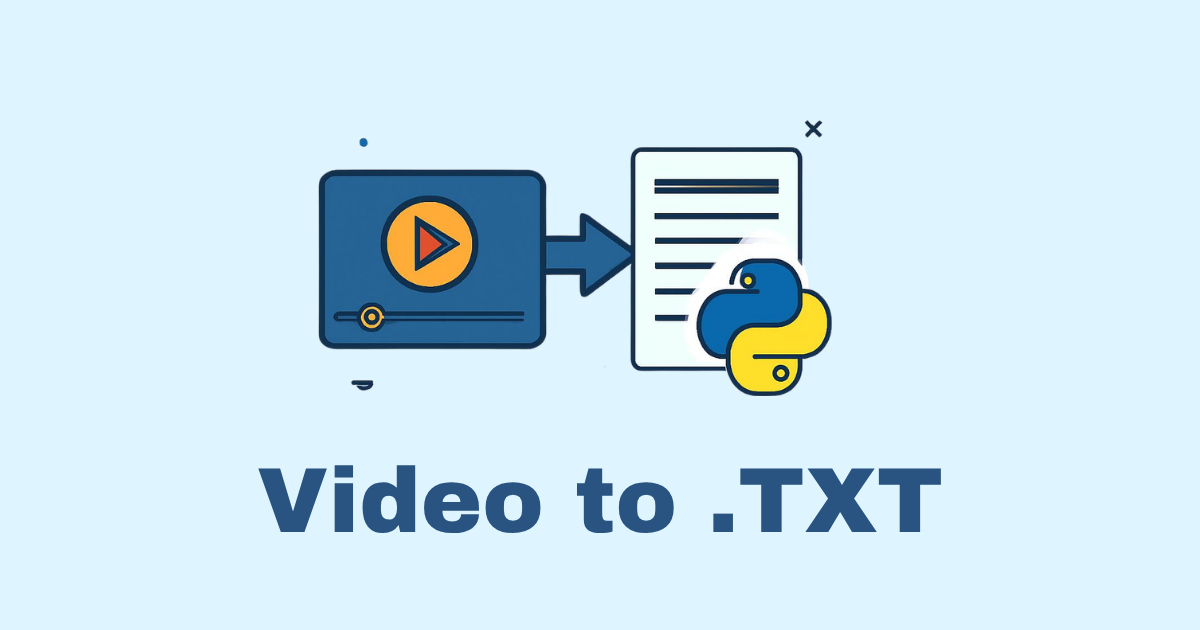
Extracting a transcript from a video in Python is one of those tasks that looks simple at first, then quickly turns into a small pipeline: get the audio, clean it up, send it into a speech-to-text engine, and format the result into something useful. The good news is that Python gives you several solid ways to do it, whether you want a quick local solution, a production-ready transcription service, or a high-accuracy workflow for long videos.
In this article, you will learn how to extract a transcript from a video in Python step by step. We will cover multiple approaches, from the simplest setup using OpenAI Whisper to offline options like Vosk, along with audio extraction, subtitle formatting, timestamp handling, and practical code examples you can adapt to your own projects.
What you will build
By the end of this guide, you will be able to:
Load a video file in Python
Extract its audio track
Transcribe speech into text
Generate plain text, SRT subtitles, or JSON output
Work with local models or cloud APIs
Improve accuracy with preprocessing
Handle long videos efficiently
Why extract transcripts from videos?
A transcript makes a video searchable, reusable, and more accessible. Once you have text, you can:
Add subtitles to social videos
Search inside recorded meetings
Build content summaries
Index lectures for learning platforms
Repurpose videos into blog posts
Improve SEO for video-based content
Support accessibility and multilingual workflows
For developers, transcription is also a building block. It can power caption generators, note-taking apps, podcast tools, educational platforms, and content extraction services.
The basic pipeline
Almost every Python transcription workflow follows the same stages:
Read the video
Extract audio from the video
Convert audio to a speech-friendly format
Send audio to a speech-to-text model or API
Post-process the transcript
Export it in the desired format
The exact tools may change, but the pipeline is the same.
Option 1: The simplest path with Whisper
If you want a strong balance between accuracy and developer friendliness, Whisper is one of the best options. It can run locally and works well across different accents and noisy environments.
There are two common Whisper options:
openai-whisperfor local transcriptionfaster-whisperfor faster inference and lower resource use
Both are excellent, but faster-whisper is often a better choice for production-like workloads.
Installing the required tools
Before you begin, install FFmpeg. It is the standard tool for working with video and audio files.
Install Python packages
pip install openai-whisper
pip install faster-whisper
pip install moviepy
pip install pydub
pip install vosk
pip install ffmpeg-python
Install FFmpeg
On Windows, download FFmpeg and add it to your PATH.
On macOS:
brew install ffmpeg
On Ubuntu/Debian:
sudo apt update
sudo apt install ffmpeg
Check the installation:
ffmpeg -version
Method 1: Extract transcript from a video using Whisper
This is the most practical starting point. We will first extract audio from the video, then transcribe it.
Step 1: Extract audio from the video
You can use moviepy to extract the audio track.
from moviepy.editor import VideoFileClip


def extract_audio(video_path: str, audio_path: str) -> None:
    video = VideoFileClip(video_path)
    audio = video.audio
    audio.write_audiofile(audio_path, codec="pcm_s16le")
    audio.close()
    video.close()


extract_audio("input_video.mp4", "output_audio.wav")
This creates a WAV file, which is easy for speech recognition tools to process.
Step 2: Transcribe audio with Whisper
import whisper


def transcribe_audio(audio_path: str, model_size: str = "base") -> dict:
    model = whisper.load_model(model_size)
    result = model.transcribe(audio_path)
    return result


result = transcribe_audio("output_audio.wav")
print(result["text"])
Step 3: Save transcript to a text file
from pathlib import Path


def save_transcript_text(result: dict, output_path: str) -> None:
    text = result.get("text", "").strip()
    Path(output_path).write_text(text, encoding="utf-8")


save_transcript_text(result, "transcript.txt")
Method 2: Transcribe video directly with faster-whisper
If you want better speed, faster-whisper is a great option. It is efficient and works well for larger files.
Example
from faster_whisper import WhisperModel


def transcribe_with_faster_whisper(audio_path: str, model_size: str = "small") -> str:
    model = WhisperModel(model_size, device="cpu", compute_type="int8")
    segments, info = model.transcribe(audio_path, beam_size=5)

    transcript_parts = []
    for segment in segments:
        transcript_parts.append(segment.text)

    return " ".join(transcript_parts)


transcript = transcribe_with_faster_whisper("output_audio.wav")
print(transcript)
Why faster-whisper is useful
Faster inference than standard Whisper in many setups
Good for long files
Lower memory usage options
Flexible CPU/GPU configuration
Method 3: Use FFmpeg for audio extraction without MoviePy
Sometimes you do not need a video library at all. FFmpeg can extract audio directly and often more reliably.
import subprocess


def extract_audio_ffmpeg(video_path: str, audio_path: str) -> None:
    command = [
        "ffmpeg",
        "-y",
        "-i", video_path,
        "-vn",
        "-acodec", "pcm_s16le",
        "-ar", "16000",
        "-ac", "1",
        audio_path,
    ]
    subprocess.run(command, check=True)


extract_audio_ffmpeg("input_video.mp4", "audio.wav")
This method is often preferred because it is fast, simple, and dependable.
Why use these FFmpeg flags?
-vn: no video-acodec pcm_s16le: uncompressed WAV audio-ar 16000: 16 kHz sample rate, good for speech tasks-ac 1: mono audio
A complete end-to-end example
Here is a simple but complete script that:
extracts audio from a video
transcribes it
saves the transcript
import subprocess
from pathlib import Path
import whisper


def extract_audio_ffmpeg(video_path: str, audio_path: str) -> None:
    command = [
        "ffmpeg",
        "-y",
        "-i", video_path,
        "-vn",
        "-acodec", "pcm_s16le",
        "-ar", "16000",
        "-ac", "1",
        audio_path,
    ]
    subprocess.run(command, check=True)


def transcribe_audio(audio_path: str, model_size: str = "base") -> dict:
    model = whisper.load_model(model_size)
    return model.transcribe(audio_path)


def save_text(result: dict, output_txt: str) -> None:
    text = result.get("text", "").strip()
    Path(output_txt).write_text(text, encoding="utf-8")


def video_to_transcript(video_path: str, transcript_path: str, model_size: str = "base") -> None:
    audio_path = "temp_audio.wav"
    extract_audio_ffmpeg(video_path, audio_path)
    result = transcribe_audio(audio_path, model_size=model_size)
    save_text(result, transcript_path)


video_to_transcript("input_video.mp4", "transcript.txt", model_size="base")
Getting timestamps for subtitles
Plain text transcripts are useful, but sometimes you need subtitle timing. Whisper can return segments with timestamps.
Example with segments
import whisper


model = whisper.load_model("base")
result = model.transcribe("audio.wav")

for segment in result["segments"]:
    start = segment["start"]
    end = segment["end"]
    text = segment["text"].strip()
    print(f"{start:.2f} --> {end:.2f} : {text}")
This output is the foundation for SRT or VTT subtitles.
Convert transcript to SRT
SubRip Subtitle format uses numbered blocks and time ranges.
SRT writer example
def format_srt_time(seconds: float) -> str:
    hours = int(seconds // 3600)
    minutes = int((seconds % 3600) // 60)
    secs = int(seconds % 60)
    milliseconds = int((seconds - int(seconds)) * 1000)
    return f"{hours:02}:{minutes:02}:{secs:02},{milliseconds:03}"


def segments_to_srt(segments: list) -> str:
    srt_lines = []
    for i, segment in enumerate(segments, start=1):
        start = format_srt_time(segment["start"])
        end = format_srt_time(segment["end"])
        text = segment["text"].strip()
        srt_lines.append(f"{i}\n{start} --> {end}\n{text}\n")
    return "\n".join(srt_lines)


import whisper

model = whisper.load_model("base")
result = model.transcribe("audio.wav")
srt_content = segments_to_srt(result["segments"])

with open("output.srt", "w", encoding="utf-8") as f:
    f.write(srt_content)
Convert transcript to VTT
WebVTT is useful for browsers and modern video players.
def format_vtt_time(seconds: float) -> str:
    hours = int(seconds // 3600)
    minutes = int((seconds % 3600) // 60)
    secs = int(seconds % 60)
    milliseconds = int((seconds - int(seconds)) * 1000)
    return f"{hours:02}:{minutes:02}:{secs:02}.{milliseconds:03}"


def segments_to_vtt(segments: list) -> str:
    lines = ["WEBVTT", ""]
    for segment in segments:
        start = format_vtt_time(segment["start"])
        end = format_vtt_time(segment["end"])
        text = segment["text"].strip()
        lines.append(f"{start} --> {end}")
        lines.append(text)
        lines.append("")
    return "\n".join(lines)
Offline transcription with Vosk
If you need a fully offline workflow and want lightweight speech recognition, Vosk is a strong choice.
Install Vosk
pip install vosk
You also need a model from the Vosk website. After downloading it, place it in a folder such as vosk-model-small-en-us-0.15.
Transcribe audio with Vosk
import wave
import json
from vosk import Model, KaldiRecognizer


def transcribe_with_vosk(wav_path: str, model_path: str) -> str:
    wf = wave.open(wav_path, "rb")
    model = Model(model_path)
    recognizer = KaldiRecognizer(model, wf.getframerate())

    transcript_parts = []

    while True:
        data = wf.readframes(4000)
        if len(data) == 0:
            break
        if recognizer.AcceptWaveform(data):
            result = json.loads(recognizer.Result())
            transcript_parts.append(result.get("text", ""))

    final_result = json.loads(recognizer.FinalResult())
    transcript_parts.append(final_result.get("text", ""))

    return " ".join(part for part in transcript_parts if part).strip()
When to use Vosk
Use Vosk when you need:
offline transcription
lower memory usage
streaming recognition
simple deployment on limited hardware
It may not match Whisper in accuracy, but it can be very practical.
Handling long videos
Long videos introduce new problems:
large file sizes
memory pressure
slow processing
repeated silence
noisy sections
A better approach is to split the audio into chunks.
Chunking audio with pydub
from pydub import AudioSegment
from pathlib import Path


def split_audio(audio_path: str, chunk_length_ms: int = 60_000, output_dir: str = "chunks") -> list[str]:
    audio = AudioSegment.from_file(audio_path)
    Path(output_dir).mkdir(parents=True, exist_ok=True)

    chunk_paths = []
    for i in range(0, len(audio), chunk_length_ms):
        chunk = audio[i:i + chunk_length_ms]
        chunk_path = Path(output_dir) / f"chunk_{i // chunk_length_ms:04}.wav"
        chunk.export(chunk_path, format="wav")
        chunk_paths.append(str(chunk_path))

    return chunk_paths
Transcribe each chunk
import whisper


def transcribe_chunks(chunk_paths: list[str], model_size: str = "base") -> str:
    model = whisper.load_model(model_size)
    all_text = []

    for chunk_path in chunk_paths:
        result = model.transcribe(chunk_path)
        text = result.get("text", "").strip()
        if text:
            all_text.append(text)

    return "\n".join(all_text)
This technique is helpful for very long lectures, webinars, and interviews.
Improving transcription accuracy
The quality of the transcript depends heavily on the audio.
1. Use a clean audio source
If possible, start from the best possible source file. Avoid heavily compressed or distorted audio.
2. Normalize and convert audio
Speech models often perform better on mono, 16 kHz WAV audio.
3. Remove silence
Silence removal can speed up transcription and reduce empty results.
4. Reduce background noise
You can preprocess audio with noise reduction libraries or filters.
5. Choose the right model size
With Whisper:
tinyis fastest but least accuratebaseis a decent defaultsmallandmediumimprove qualitylargegives stronger accuracy but uses more resources
6. Use language hints
If you know the language, pass it to the model. That can improve results.
result = model.transcribe("audio.wav", language="en")
Transcribing a YouTube video in Python
Many people ask how to extract transcripts from videos on YouTube. The workflow is similar, but first you need the media file or the audio stream.
One common approach is:
Download the video or audio
Extract the audio track
Send it to a transcription engine
Example using yt-dlp
pip install yt-dlp
import os
import subprocess


def download_youtube_audio(url: str, output_dir: str = "downloads") -> str:
    os.makedirs(output_dir, exist_ok=True)
    output_template = os.path.join(output_dir, "%(title)s.%(ext)s")

    command = [
        "yt-dlp",
        "-f", "bestaudio",
        "-o", output_template,
        url,
    ]
    subprocess.run(command, check=True)

    # In real projects, inspect the downloaded filename more carefully.
    return output_dir
After downloading, use FFmpeg or your transcription tool of choice.
Creating a reusable Python class
A class can make your code cleaner and easier to reuse.
import subprocess
from pathlib import Path
import whisper


class VideoTranscriptExtractor:
    def __init__(self, model_size: str = "base"):
        self.model = whisper.load_model(model_size)

    def extract_audio(self, video_path: str, audio_path: str) -> None:
        command = [
            "ffmpeg",
            "-y",
            "-i", video_path,
            "-vn",
            "-acodec", "pcm_s16le",
            "-ar", "16000",
            "-ac", "1",
            audio_path,
        ]
        subprocess.run(command, check=True)

    def transcribe(self, audio_path: str) -> dict:
        return self.model.transcribe(audio_path)

    def video_to_text(self, video_path: str, output_txt: str) -> str:
        temp_audio = "temp_audio.wav"
        self.extract_audio(video_path, temp_audio)
        result = self.transcribe(temp_audio)
        text = result.get("text", "").strip()
        Path(output_txt).write_text(text, encoding="utf-8")
        return text


extractor = VideoTranscriptExtractor(model_size="base")
transcript = extractor.video_to_text("input_video.mp4", "transcript.txt")
print(transcript)
Returning JSON output
For APIs and applications, JSON is often better than plain text.
import json
import whisper


model = whisper.load_model("base")
result = model.transcribe("audio.wav")

with open("transcript.json", "w", encoding="utf-8") as f:
    json.dump(result, f, ensure_ascii=False, indent=2)
This gives you:
transcript text
segments
timestamps
language detection
metadata for downstream processing
Building an API endpoint for transcription
If you are building a web service, you can wrap the logic inside FastAPI or Django REST Framework.
Example FastAPI endpoint
from fastapi import FastAPI, UploadFile, File
import shutil
import whisper
import subprocess
from pathlib import Path

app = FastAPI()
model = whisper.load_model("base")


@app.post("/transcribe")
async def transcribe_video(file: UploadFile = File(...)):
    upload_path = Path("uploads") / file.filename
    upload_path.parent.mkdir(exist_ok=True)

    with open(upload_path, "wb") as buffer:
        shutil.copyfileobj(file.file, buffer)

    audio_path = upload_path.with_suffix(".wav")

    subprocess.run([
        "ffmpeg", "-y", "-i", str(upload_path),
        "-vn", "-acodec", "pcm_s16le", "-ar", "16000", "-ac", "1", str(audio_path)
    ], check=True)

    result = model.transcribe(str(audio_path))
    return {
        "text": result["text"],
        "segments": result["segments"],
        "language": result.get("language")
    }
This is the foundation of a transcript extraction API.
Best practices for production
When transcription becomes a real feature, keep these points in mind:
Validate input files
Check file type, file size, duration, and upload errors.
Use temporary storage carefully
Clean up audio files after processing to avoid wasting disk space.
Handle long-running jobs asynchronously
Use Celery, RQ, or a background worker if transcription takes time.
Protect your API
Limit uploads, authenticate users, and guard against abuse.
Keep transcripts versioned
If you improve your model later, storing transcript versions can help.
Store speaker metadata when possible
For meeting transcription, speaker diarization may be important.
Common mistakes
Forgetting to extract audio first
Many speech models work best with audio, not raw video.
Using compressed audio with poor quality
Bad source audio means bad transcripts.
Ignoring timestamps
Timestamps are essential if you need subtitles or searchable playback.
Processing huge files in one go
Chunking is often safer for long recordings.
Not cleaning up temp files
Temporary audio files can quickly fill disk space.
Comparing the main approaches
Whisper
Best for strong accuracy and general-purpose transcription.
faster-whisper
Best for speed and efficiency.
Vosk
Best for offline and lightweight deployment.
Cloud APIs
Best when you need managed infrastructure and do not want to maintain models locally.
Each method has trade-offs. The right choice depends on cost, privacy, performance, and accuracy.
A practical recommendation
If you are building a real Python project today, this is a good decision path:
Use FFmpeg to extract audio
Use faster-whisper for local transcription
Use Whisper if you want simple, reliable quality
Use Vosk if everything must stay offline
Return JSON when building an API
Export SRT when you need subtitles
That combination covers most use cases.
Final example: video to transcript function
Here is a neat utility function you can reuse directly.
import subprocess
from pathlib import Path
import whisper


def video_to_transcript(video_path: str, output_txt: str = "transcript.txt", model_size: str = "base") -> str:
    video_path = str(video_path)
    output_txt = str(output_txt)
    audio_path = Path(output_txt).with_suffix(".wav")

    subprocess.run([
        "ffmpeg", "-y", "-i", video_path,
        "-vn", "-acodec", "pcm_s16le", "-ar", "16000", "-ac", "1",
        str(audio_path)
    ], check=True)

    model = whisper.load_model(model_size)
    result = model.transcribe(str(audio_path))
    text = result.get("text", "").strip()

    Path(output_txt).write_text(text, encoding="utf-8")
    return text


if __name__ == "__main__":
    transcript = video_to_transcript("input_video.mp4", "transcript.txt", model_size="base")
    print(transcript)
Conclusion
Extracting transcripts from videos in Python is a very achievable task once you understand the pipeline. The video itself is only the starting point. The real work happens when you turn the audio into a clean, usable transcript with a model like Whisper, faster-whisper, or Vosk.
Start with FFmpeg for audio extraction, use a transcription engine that matches your needs, then format the output for your use case. Whether you are building subtitles, search tools, educational software, or a content automation system, this workflow gives you a reliable foundation.
The best part is that you can begin with a very small script and grow it into a complete production system later.
Hassan Agmir
Author · Filenewer
Writing about file tools and automation at Filenewer.
Try It Free
Process your files right now
No account needed · Fast & secure · 100% free
Browse All Tools